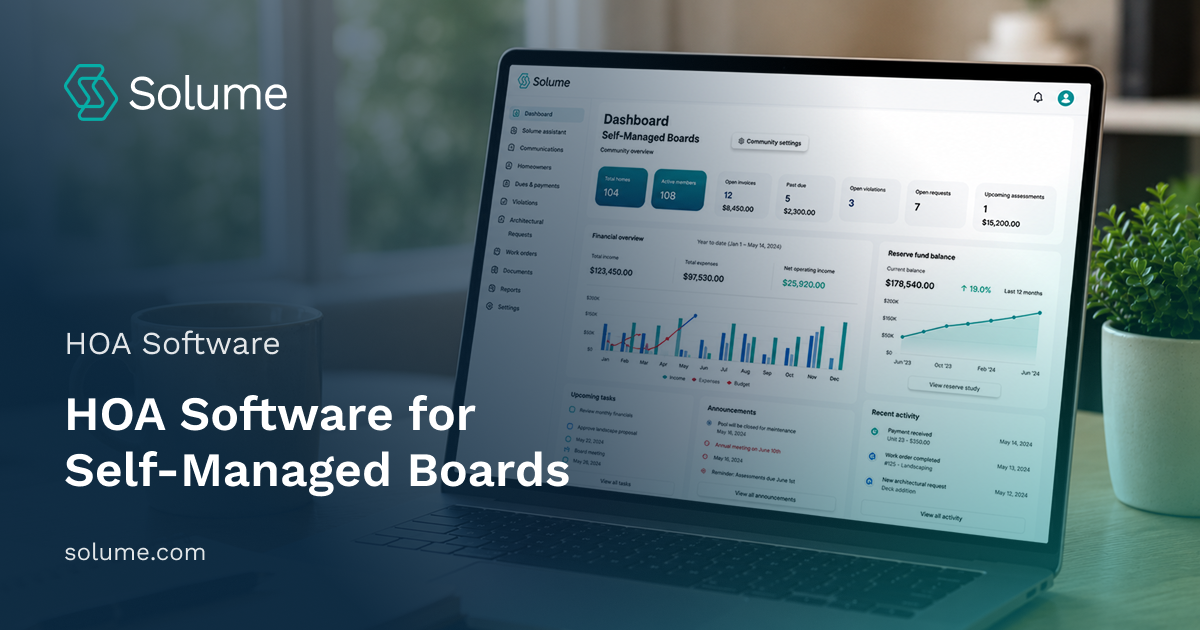
Most self-managed HOA boards run on spreadsheets, email chains, and hope. That works until someone forgets to send a dues reminder, the treasurer quits mid-year, or the board realizes they're three years behind on reserve planning. By then, you're scrambling to catch up while homeowners are asking why things feel chaotic.
HOA software won't fix a dysfunctional board. But it will eliminate the busywork that makes volunteer board service feel like a second job. This guide walks through what self-managed communities actually need in 2026, not what property management companies use.

Key Takeaways
- Self-managed boards need HOA software that handles accounting, compliance, and reserve planning without requiring a finance degree.
- Core features include automated dues collection, real-time accounting, architectural review tracking, and document management.
- HOA software is built for board-led communities. Property management software is designed for management companies that run multiple properties.
- AI-powered compliance tools help boards interpret state laws and governing documents without hiring attorneys for every question.
- Reserve study integration separates modern platforms from legacy tools. Most boards underfund reserves because they don't connect daily accounting to long-term capital needs.
- Small communities often assume software isn't worth the cost. In reality, one avoided special assessment by paying subscription fees for years.
What is HOA software, and why do self-managed boards need it
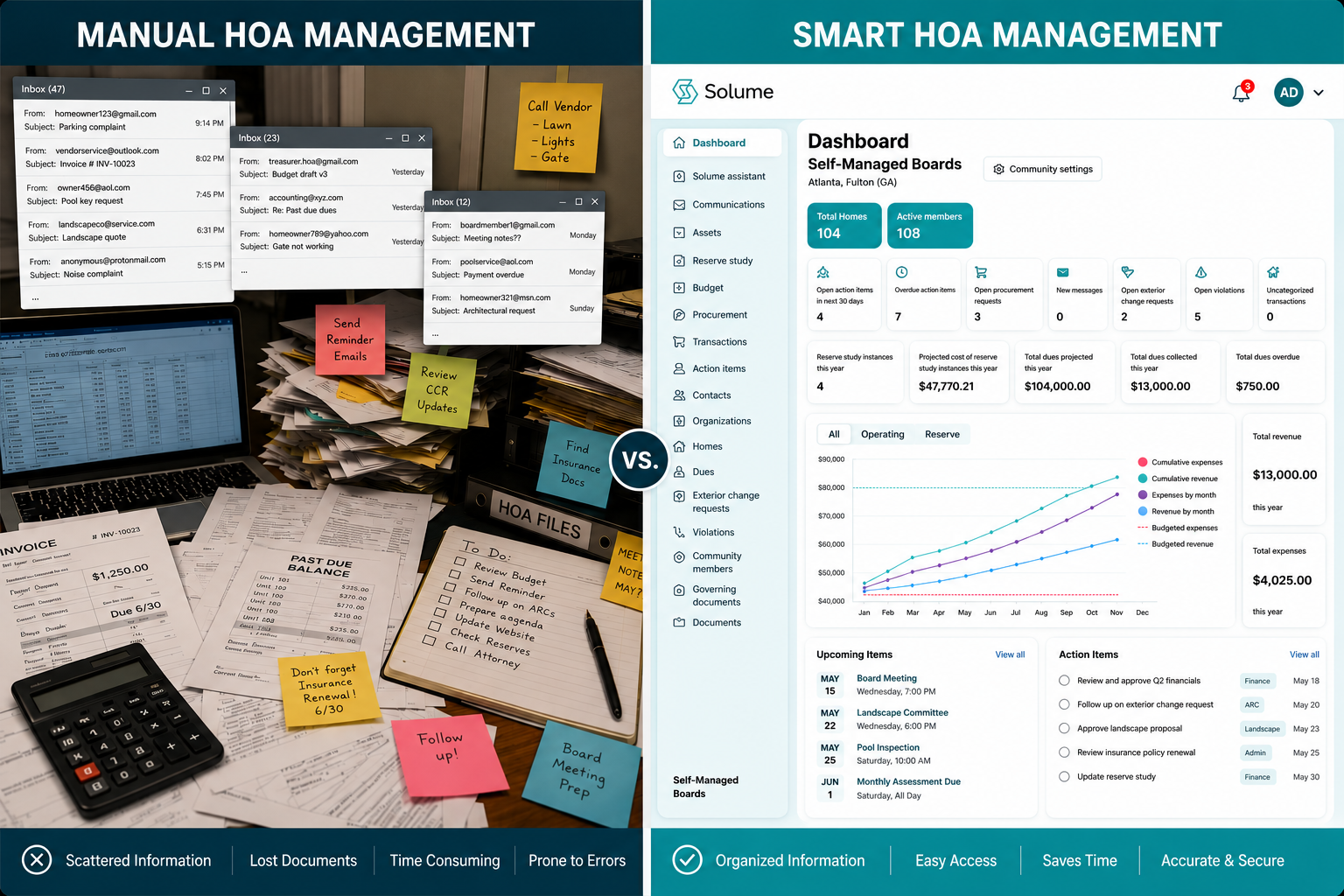
HOA software centralizes the administrative work that volunteer boards handle manually: collecting dues, tracking expenses, managing architectural requests, storing documents, and communicating with homeowners.
A self-managed HOA doesn't have a property manager to handle this. The treasurer is usually a homeowner with a full-time job. The secretary might be retired but not tech-savvy. The president is trying to keep everyone aligned while also living in the community.
Without HOA software, boards rely on personal email accounts, shared Google Drives, and whoever remembers where last year's budget is saved. That creates three problems. First, institutional knowledge walks away when a board member resigns. Second, transparency suffers because homeowners can't easily see the financials or submit requests. Third, compliance risks grow because no one is tracking state-mandated reserve studies, meeting minutes, or disclosure requirements.
HOA software doesn't replace the board. It replaces the chaos. According to U.S. Census Bureau data on housing units, millions of Americans live in community associations, and Community Associations Institute research shows that self-managed boards face unique operational challenges that software built specifically for volunteer boards is designed to address.
Core HOA Software Features Every Self-Managed Board Needs
Not every feature matters equally. Some are nice to have. Others determine whether your board can actually function without hiring a management company.
Automated dues collection and online payments. Boards waste hours chasing late payments and reconciling checks. Automation sends reminders on schedule and applies late fees in accordance with your governing documents. Online payments allow homeowners to pay via ACH or card. Autopay eliminates manual follow-up entirely.
Real-time accounting and financial reporting. Your treasurer shouldn't need QuickBooks training to generate a budget variance report. Real-time HOA accounting shows income, expenses, and account balances as they happen. Reporting tools create the financial statements your board needs for monthly meetings and annual audits.
Owner portal for transparency. A homeowner portal lets residents view their account balance, payment history, and community documents without emailing the treasurer. This homeowner portal reduces board inquiries and builds trust. It also gives homeowners a way to submit maintenance requests or architectural requests without texting the president at 9 p.m.
Architectural review and ARC request management. Most communities require board approval for exterior changes. Without a system, requests arrive by email, get lost, or sit unanswered for weeks. Architectural review tools let homeowners submit requests with photos. Board members review and approve them in one place. You can track status, store approvals, and reference past decisions when similar requests come in.
Document management and compliance tracking. Your governing documents, meeting minutes, vendor contracts, and insurance policies need to live somewhere accessible. Document management organizes files by category and makes them searchable. Compliance tracking reminds the board when annual filings, reserve studies, or insurance renewals are due. Following Federal Trade Commission guidance on data security is essential when storing sensitive community documents and homeowner information.
Communication tools that reach homeowners. Boards need to send meeting notices, violation letters, and community updates. Emails work for some homeowners. Text messages work better for others. Communication tools let you send announcements through multiple channels and track who opened them.
Vendor management and work orders. A self-managed HOA coordinates landscapers, plumbers, and contractors without a property manager. Vendor management stores contact info, tracks work orders, and logs maintenance requests. When a homeowner reports a broken gate, the board can assign it, track progress, and close it out without losing the thread.
HOA Accounting and Financial Management Capabilities
Most HOA boards don't fail because they're dishonest. They fail because they don't have a system that shows them what's actually happening financially.
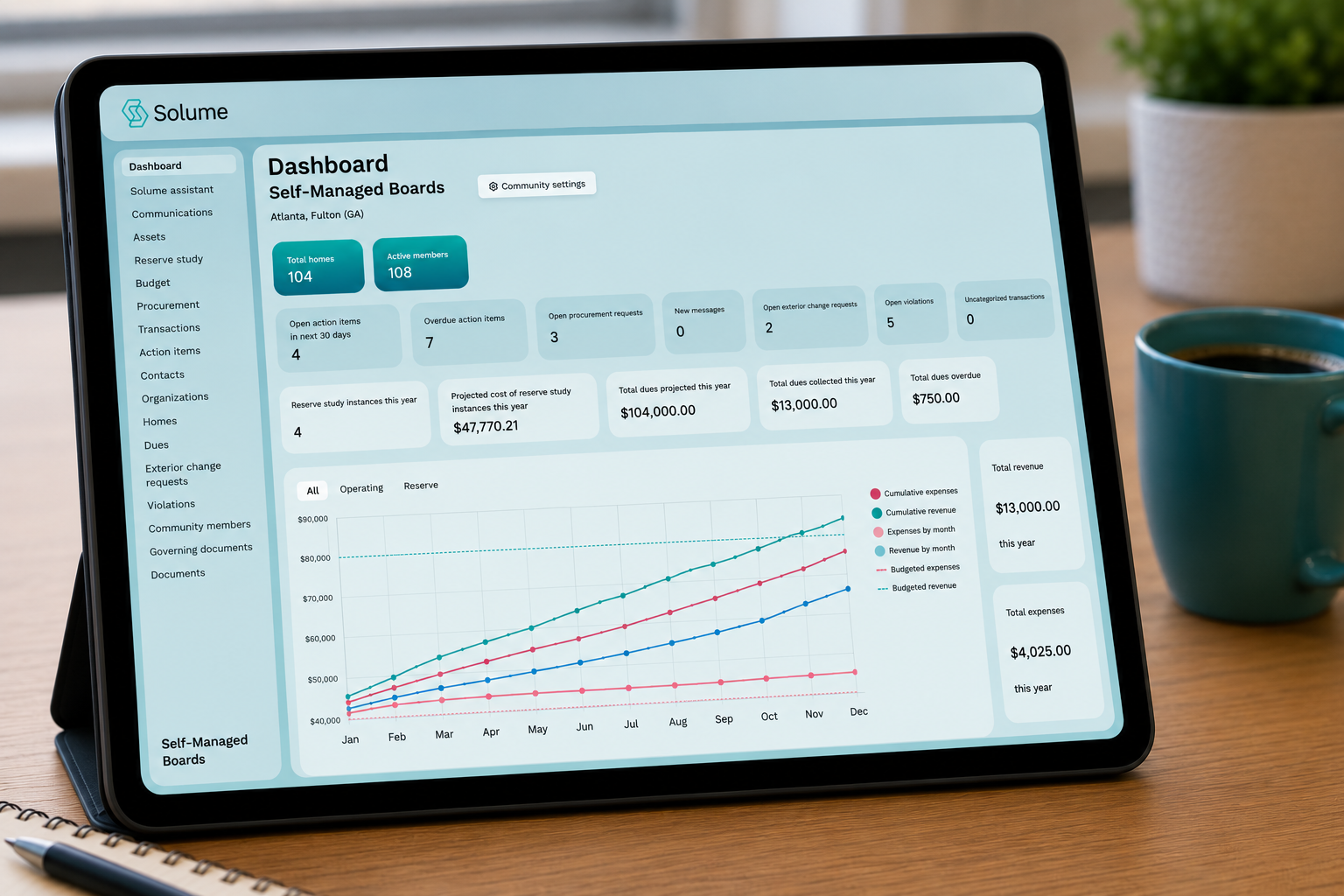
Financial management in the HOA management software should handle income, expenses, budgets, and reserves in one place. That means tracking HOA dues collection by unit, categorizing expenses by line item, and comparing actual spending to your approved budget. Boards need to see variances in real time, not three months later when the treasurer finally updates the spreadsheet. Understanding the basics of bookkeeping for small HOAs helps boards identify the features they need in their accounting software.
Automated invoicing eliminates manual billing. The system generates invoices on your schedule, sends them to homeowners, and automatically applies payments. If someone is late, the software tracks it. If your governing documents allow late fees, the system applies them.
Real-time HOA accounting means your financial reports reflect today's data, not last month's. When a board member asks how much is left in the landscaping budget, you can pull the answer in 30 seconds. When a homeowner questions a special assessment, you can show them exactly where the money went.
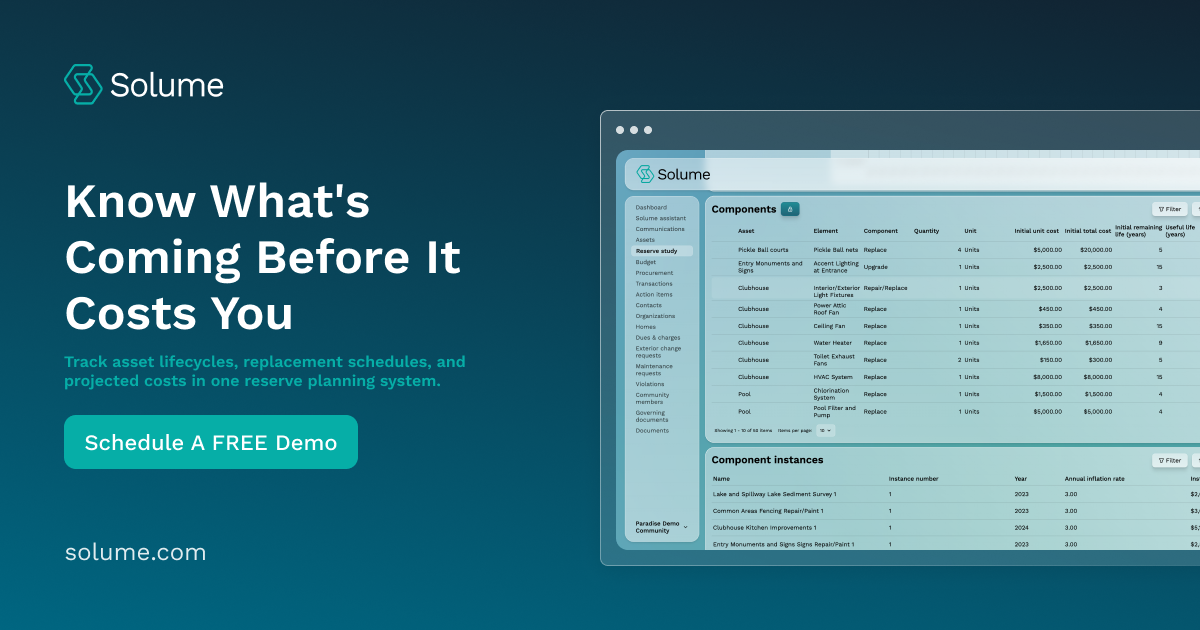
Reserve planning integration is where most HOA software falls short. Boards treat reserves as a separate problem. They fund the reserve account based on a percentage of HOA fees or whatever feels safe, then hope it's enough when the roof needs replacing. That's not planning. That's guessing. Reserve study integration connects your reserve account to your actual capital needs because proper funding requires matching monthly contributions to the projected replacement schedule for major components.
Reserve study integration connects your reserve account to your actual capital needs. You can see projected expenses, current funding levels, and whether you're on track. If you're underfunded, the software shows you the gap before it becomes a crisis. Solume's reserve study tools let boards model funding scenarios and avoid surprise special assessments.
Architectural Review and ARC Request Management
Architectural review is one of those board responsibilities that sounds simple until you're managing it. Homeowners submit requests to paint their house, install a fence, or replace a roof. The board must review each one against the CC&Rs, approve or deny it, and document its decision.
Without a system, requests come in by email. Someone forwards them to the ARC committee. The committee discusses it over text. Someone forgets to respond. The homeowner follows up. The board approves it verbally at a meeting but never documents it. Two years later, a new board questions whether it was ever approved.
Architectural review tools solve this. Homeowners submit requests through the owner portal with photos and descriptions. The board or ARC committee reviews them in one place. You can approve, deny, or request changes with a few clicks. The system logs every decision, stores the approval, and creates a record you can reference later.
This matters for compliance. Many states require HOAs to respond to architectural requests within a specific timeframe. If your board misses the deadline, the request may be automatically approved. Tracking tools send reminders and flag overdue requests before you violate your own governing documents.
It also reduces conflict. When a homeowner asks why their neighbor's fence was approved but theirs wasn't, you can pull up both requests and show the difference. Transparency doesn't eliminate disagreements, but it eliminates the perception that the board is playing favorites.
Difference Between HOA Software and Property Management Software
These terms get used interchangeably. They shouldn't be.
Property management software is built for management companies that oversee dozens or hundreds of properties. It's designed for professional managers who need multi-property dashboards, client billing, and vendor networks. The interface assumes the user is a full-time property manager, not a volunteer board member.
HOA software is built for self-managed communities. It assumes the treasurer has a full-time job and board members meet once a month. The interface is simpler. The features focus on what boards actually do: collect dues, track expenses, manage requests, and stay compliant. When choosing the right HOA management software, understanding this distinction is critical.
Property management software often includes features that self-managed boards don't need, like tenant screening, lease tracking, or commission splits. HOA software skips those and focuses on community management: reserve planning, architectural review, and communication tools for board members.
The pricing model is different, too. Property management software charges per unit or per property, assuming a management company is billing clients. HOA software charges a flat monthly or annual fee because the board is paying directly.
If your community is self-managed, you don't need property management software. You need HOA software designed for volunteer boards that want to manage their own community without the overhead of a management company.
AI-Powered Compliance and Compliance Assistance
State laws governing HOAs are getting stricter. Florida passed mandatory reserve funding requirements after the Surfside collapse in 2021 killed 98 people. Nevada requires reserve studies for most communities. California has detailed rules about meeting notices, election procedures, and financial disclosures.
Most boards don't know what their state requires until they're already out of compliance. Hiring an attorney to interpret every statute isn't realistic for a small community. That's where AI-powered compliance tools help. These tools address many of the common challenges volunteer boards face in staying compliant with evolving regulations.
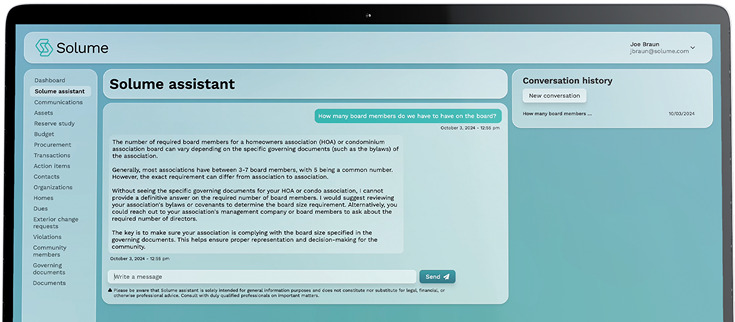
An AI assistant can answer questions like "Does our homeowners association need a reserve study in Nevada?" or "What are Florida's rules for special assessments?" It can pull relevant sections from your governing documents and explain how they apply to a specific situation. It can flag compliance deadlines, like annual meeting notices or reserve study updates, before you miss them.
Solume's AI assistant helps boards interpret state laws and governing documents without hiring an attorney for every question. It won't replace legal counsel for complex disputes, but it will answer the routine compliance questions that boards face every month.
Compliance tools also track required filings. Many states require HOAs to file annual reports, update contact information, or submit reserve study summaries. The software reminds you when these are due and stores proof of filing.
This reduces risk. Boards that miss compliance deadlines face fines, lawsuits, or personal liability. Boards that stay compliant avoid those problems and build trust with homeowners.
State-Specific Compliance Support and Legal Guidance
HOA laws vary by state. What's required in Florida doesn't apply in Texas. What's optional in California might be mandatory in Washington.
State-specific compliance support means the software knows which rules apply to your homeowners association. It flags state-mandated deadlines, explains local statutes, and adjusts recommendations based on where you're located.
For example, Florida's SB 4-D requires structural integrity reserve studies for most condos. Nevada requires reserve studies for common-interest communities with more than nine units. California requires boards to distribute annual financial reports and meeting minutes. If your HOA software doesn't know your state's rules, it can't help you follow them.
Legal guidance tools don't replace an attorney. They help boards understand when they need one. If a homeowner threatens to sue over an architectural denial, the AI assistant can explain what your CC&Rs say and flag whether the board followed its own procedures. If the situation escalates, you'll know it's time to consult your attorney.
Boards should consult their attorney for legal interpretation of complex issues. But for routine questions, state-specific compliance tools give you a starting point without billing $300 an hour.
Long-Term Capital Planning and Reserve Fund Integration
Most boards treat reserves like a savings account. They set aside a percentage of dues each month and hope it's enough when something breaks. That's not planning. That's reacting.
Long-term capital planning means knowing what your community will need to replace, when it will need to be replaced, and how much it will cost. Roofs last 20 years. Asphalt lasts 15. HVAC systems last 12. If your community was built in 2010, you can predict when those expenses will hit. Understanding what a reserve study actually is is the first step toward proper long-term planning.
A reserve study calculates these costs and tells you how much to fund each year. Reserve planning tools integrate that data into your accounting. You can see whether your current funding level is adequate, underfunded, or overfunded. You can model different scenarios: what if we increase dues by 5%? What if we delay the roof replacement by two years?
This is where most HOA software falls short. Legacy platforms treat reserves as a separate line item. They don't connect reserve funding to actual capital needs. Boards end up underfunding reserves because they don't see the gap until it's too late.
Solume's reserve study integration connects your reserve account to your long-term capital plan. You can see projected expenses, current funding levels, and whether you're on track. If you're underfunded, the platform shows you the gap and helps you model solutions before you're forced to levy a special assessment.
Reserve planning also improves transparency. Homeowners understand why dues are increasing when they can see that the roof replacement is scheduled for 2027 and the current reserve balance is only 60% funded. They're less likely to vote down a dues increase when the alternative is a $10,000 special assessment.
Ready to simplify how your board manages finances, compliance, and reserve planning? Solume is built for self-managed communities that want control without the chaos. Explore your options and see if it's a good fit for your HOA.
Frequently Asked Questions
What is HOA software?
HOA software centralizes the administrative tasks that boards handle manually: dues collection, accounting, architectural review, document storage, and homeowner communication. It's designed for self-managed communities without a property manager.
What kind of software do most HOAs use for management?
A self-managed HOA typically uses software designed for volunteer boards. Professionally managed communities use property management software designed for management companies.
How does HOA software handle dues collection and accounting?
Automated invoicing generates and sends invoices on schedule, online payments let homeowners pay by ACH or card, and real-time accounting tracks income and expenses as they happen. Reporting tools generate financial statements for board meetings and audits.
What features should I prioritize when choosing HOA management software?
Prioritize automated dues collection, real-time accounting, architectural review tracking, and reserve study integration. Communication tools and document management are important but secondary.
Is HOA software actually worth the cost for small communities?
One avoided special assessment pays for years of subscription fees. Small communities often underfund reserves or miss compliance deadlines because they lack systems.
What's the best accounting software for a small HOA that's self-managed?
An all-in-one platform with built-in accounting is better than standalone accounting software like QuickBooks because it's designed for HOA-specific needs like dues collection, reserve tracking, and compliance reporting. Solume includes real-time accounting and reserve planning on a single platform.
What if our board doesn't have anyone with accounting experience?
Real-time accounting and automated reporting eliminate the need for bookkeeping skills. The platform automatically tracks income and expenses, generates financial reports, and flags issues before they become problems.
How does software help with violations enforcement?
Enforcement tools let boards document rule violations, send warning notices, track responses, and escalate repeat offenses. The system maintains a record of all enforcement actions for violations, which protects the board if a homeowner disputes the process.
Can a condo association use the same software as an HOA?
Yes, a condo association has the same needs as any homeowners association: dues collection, accounting, architectural review, and compliance tracking. Most HOA software works equally well for both condo associations and traditional HOAs.