
Managing a homeowners association without a property management company used to mean endless spreadsheets, late-night bookkeeping, scattered emails, and constant volunteer burnout. Today, modern HOA management software gives self-managed boards the tools to handle finances, communications, compliance, reserve planning, and homeowner requests from a single centralized platform.
The challenge is that most HOA software was built for professional property managers, not volunteer board members balancing community responsibilities with full-time jobs and family life. The best HOA management software for self-managed boards should simplify operations, improve financial transparency, reduce administrative workload, and help communities avoid costly mistakes like underfunded reserves or missed compliance deadlines.
This guide breaks down the features that actually matter, explains why more communities are moving away from spreadsheets, and shows how the right software can help self-managed HOAs operate more efficiently while protecting long-term financial stability.
Key Takeaways
- Self-managed HOA boards need the best HOA Management Software that replaces property management companies, not tools designed for property managers.
- The best HOA software handles HOA accounting, reserve study tracking, architectural review, violation tracking, and compliance in one system.
- Most boards switch from spreadsheets when they realize financial transparency and long-term planning require more than Excel.
- AI automation now handles routine tasks such as dues-collection reminders, compliance checks, and document searches.
- Volunteer board burnout drops when software removes repetitive admin work and centralizes communication tools.
- Reserve study integration is the feature most boards overlook and the one that prevents special assessments.
- The right platform should feel like hiring a part-time administrator, not like taking on a second job.

What HOA Management Software Actually Does
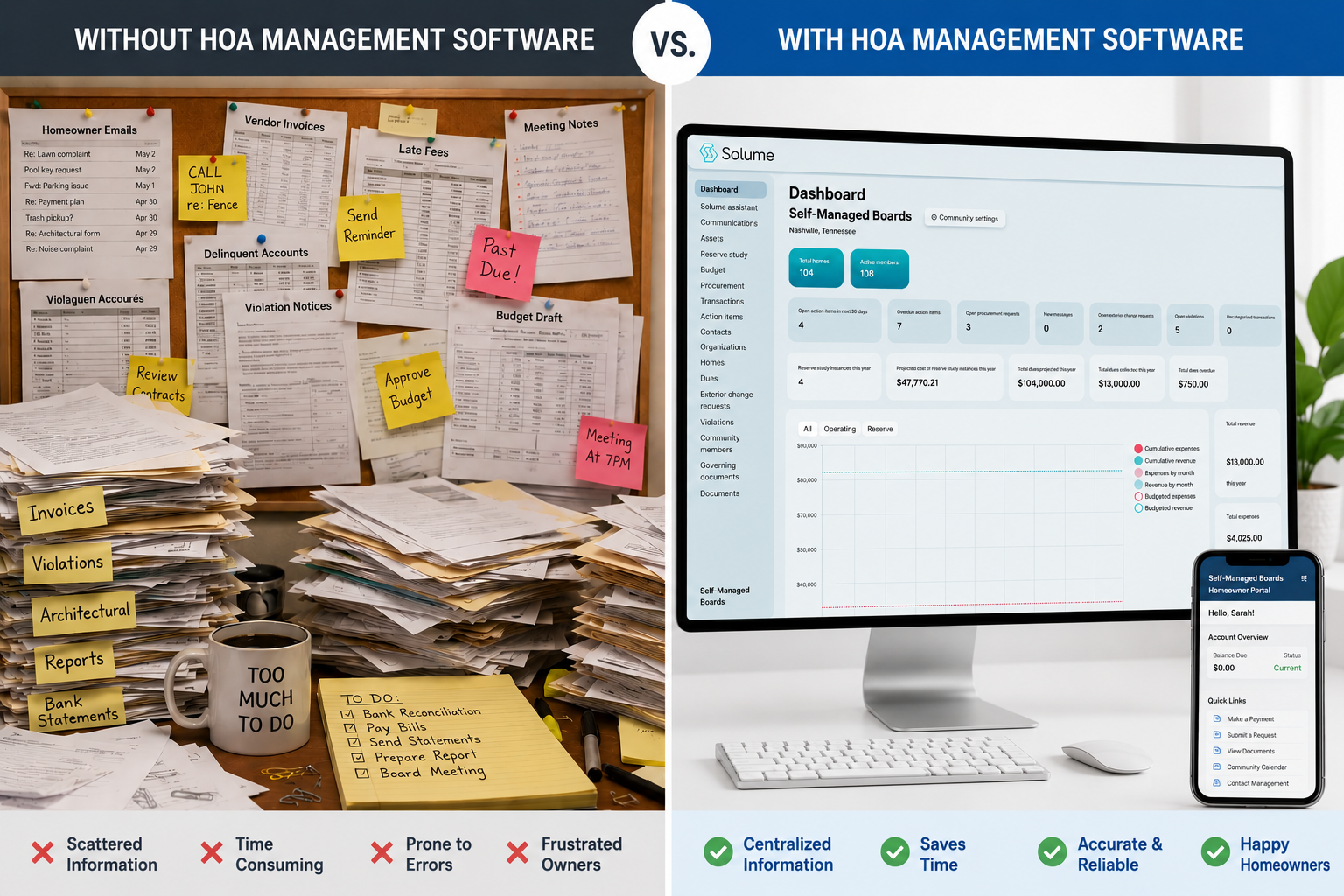
A board president opens her email Saturday morning to find 47 messages: three homeowners asking why their dues payment didn't post, two demanding copies of last year's budget, one threatening legal action over a violation notice he claims he never received, and dozens more asking questions the treasurer already answered last month. She realizes the Best HOA Management Software could eliminate most of these emails by giving homeowners direct access to their account information and community documents.
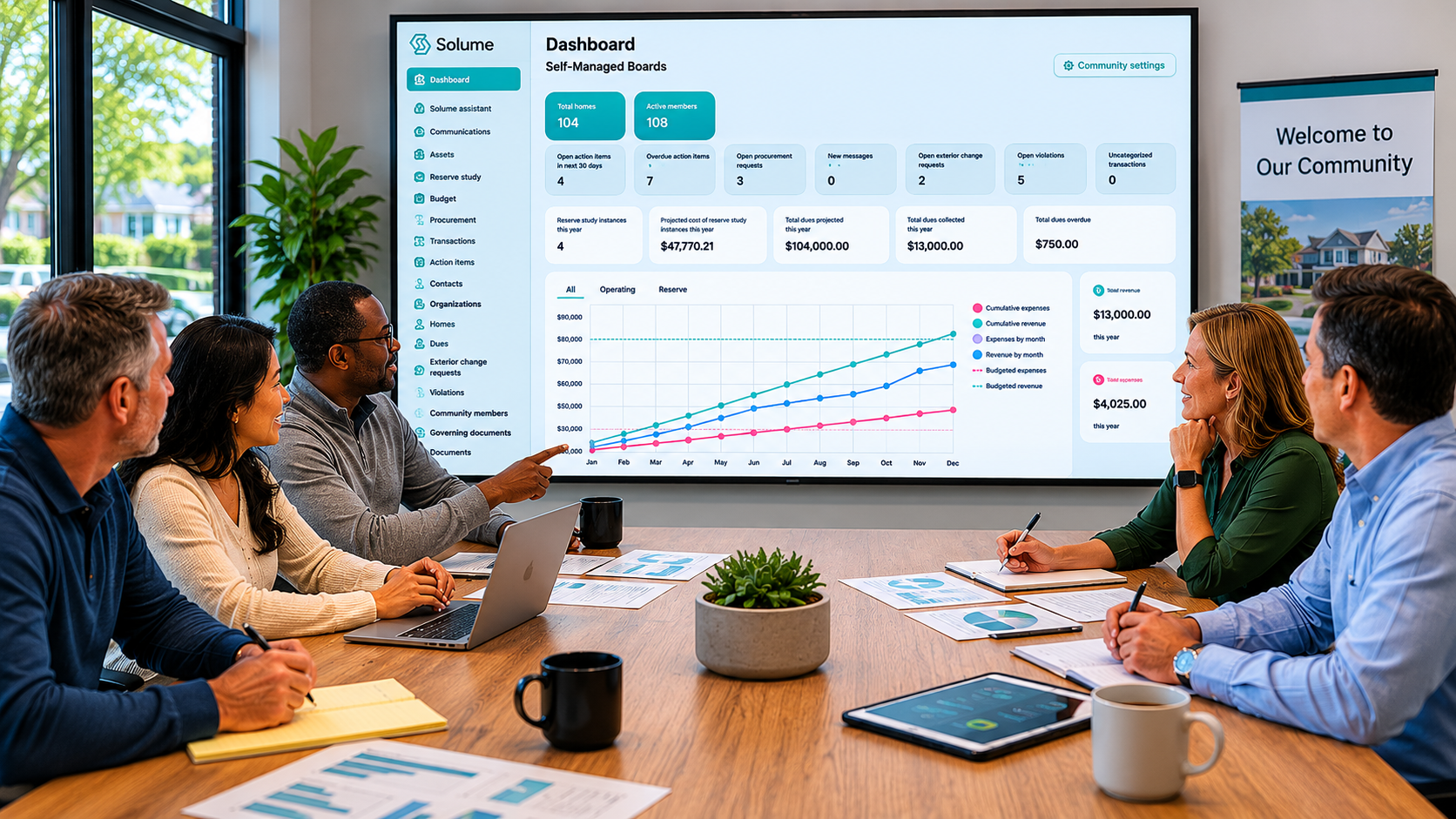
The software handles HOA accounting, tracks who paid dues and who didn't, stores governing documents, manages architectural review requests, logs violations, schedules maintenance, and records every board decision. It also provides homeowners with an online portal to pay dues, submit requests, and view financial reports without emailing the treasurer.
The goal is transparency and efficiency. Boards stop spending weekends answering the same questions or hunting through email threads for a vendor invoice.
The best HOA software also handles reserve study tracking and long-term planning. That's the part most platforms ignore. But it's the difference between a tool that tracks expenses and a tool that prevents financial disasters.
Core Features That Define Best HOA Management Software
Not all HOA software platforms are built the same. Some are glorified accounting tools. Others are designed for property managers overseeing dozens of communities. The best HOA software for self-managed boards includes these core features:
Financial management and HOA accounting. This includes budgeting, invoicing, payment tracking, and reporting. The system should generate balance sheets, income statements, and reserve fund reports without exporting to Excel. Understanding the basics of bookkeeping for small HOAs helps boards identify which features matter most when evaluating platforms.
Dues collection and payment processing. Homeowners should be able to pay online. The system should send automatic reminders and flag delinquencies before they become legal problems.
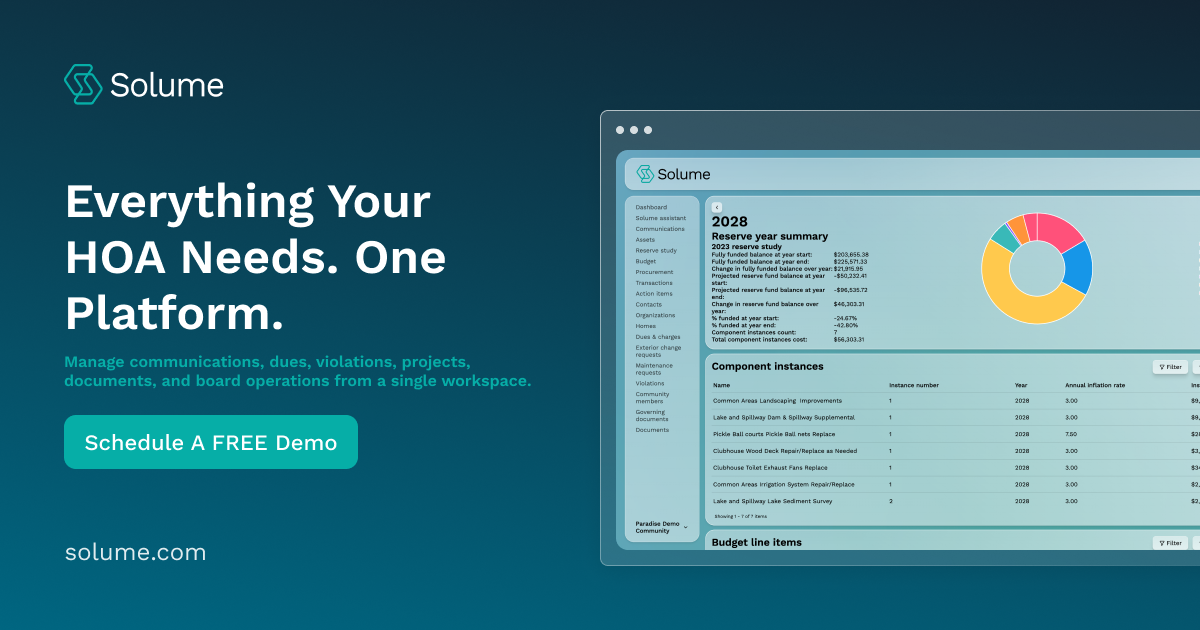
Reserve study integration. The platform should track reserve fund balances, link expenses to specific components (roof, pavement, HVAC), and show whether the community is on track with its funding plan.
Architectural review and violation tracking. Boards need a way to log requests, approve or deny them, and track compliance. For communities managing modifications, understanding ARC requests is essential to streamlining the approval process.
Document storage and search. Governing documents, meeting minutes, contracts, and vendor invoices should be stored in one place. Board members should be able to find what they need in seconds, not hours.
Communication tools and homeowner portal. Homeowners should be able to submit maintenance requests, view their account balance, and access community documents without emailing the board.
Vendor management and maintenance tracking. The platform should store vendor contact info, track work orders, and log maintenance history.
Compliance and legal document assistance. State laws vary. The best HOA software helps boards understand what's required in their state and flags potential compliance risks.
These HOA features aren't optional. They're the baseline for any platform that claims to support self-managed communities.
Why HOA Boards Switch from Spreadsheets to Software
Most boards start with spreadsheets because they're free and familiar. Then something breaks.
A homeowner disputes a late fee. The treasurer can't find the payment record. Another owner asks for a copy of the reserve study. The board realizes no one has updated it in three years.
Spreadsheets work until the community grows, the board turns over, or someone asks a question that requires digging through months of email. At that point, the board has two choices: hire a property management company or adopt HOA management software.
Property management companies charge $15 to $50 per unit per month. For a 100-unit community, that's $18,000 to $60,000 per year. Most of that money pays for the same tasks software can handle: tracking dues, managing vendors, storing documents, and answering homeowner questions.
The boards that switch to software do it because they realize they're paying someone else to use software on their behalf. According to the U.S. Census Bureau housing data, millions of housing units are part of community associations, making efficient self-management increasingly important for keeping costs down.
How to Evaluate the Best HOA Software for Your Community
Most boards evaluate software the same way they evaluate vendors: they ask for demos, compare pricing, and pick the one that feels easiest. That approach works for hiring a landscaper. It doesn't work for choosing the right HOA management software that the board will use every day for the next five years.
Start with these questions.
Does the platform handle reserve study tracking? Most HOA software platforms treat reserves as a line item in the budget. The system should track individual components, show funding progress, and flag when the community is underfunded.
Can homeowners access their accounts and submit requests without calling the board? If the online portal only shows a balance, it doesn't solve the problem. Homeowners should be able to pay dues, submit architectural review requests, report maintenance issues, and view financial reports.
Does the software include compliance support? State laws are getting stricter. Florida requires reserve studies for most condos. Nevada mandates reserve funding. The platform should help boards understand what's required and when deadlines are approaching.
Is the system designed for self-managed boards or property managers? Most platforms assume a professional manager is running the show. The best software built specifically for volunteer boards is user-friendly enough that a retired engineer or a full-time teacher can run it without a manual.
What happens if the board turns over? Volunteer boards change every year or two. The new treasurer shouldn't need a week of training to understand how the system works.
What Self-Managed HOA Boards Actually Need
A self-managed HOA needs software that removes repetitive work and centralizes information so the HOA board can focus on decisions, not data entry.
The treasurer shouldn't spend Saturday mornings reconciling bank statements in Excel. The system should import transactions, categorize them, and generate reports automatically.
The architectural review committee shouldn't track requests in a shared Google Doc. Homeowners should submit requests through the online portal. The committee reviews them in the system, approves or denies them, and notifies the homeowner.
The board president shouldn't field the same questions about dues, violations, and meeting minutes every week. Many of the common challenges volunteer boards encounter stem from inefficient communication and information management.
The board shouldn't discover in year eight that the reserve fund is $200,000 short. The platform should track reserve study funding from day one and show whether the community is on pace or falling behind.
Financial Management and HOA Accounting Features
HOA accounting is not the same as personal or small-business accounting. The structure differs because community associations operate under fund accounting rules: operating funds and reserve funds must be tracked separately, income comes from assessments rather than sales, and expenses are tied directly to maintenance schedules and capital replacement plans. The Financial Accounting Standards Board sets standards that influence how associations should handle financial reporting, though HOAs have unique requirements.
The best HOA software includes financial management tools built specifically for community association management. That means:
Separate tracking for operating and reserve funds. The system should show how much is in each account, what's been spent, and what's budgeted.
Automatic dues collection reminders. Homeowners get notified when payment is due. The system flags delinquencies and tracks payment history.
Financial reporting that matches HOA requirements. Balance sheets, income statements, reserve fund reports, and budget-versus-actual comparisons should generate automatically.
Audit trail for every transaction. When a homeowner disputes a charge or an auditor reviews the books, the board should be able to pull a complete record of what happened and when.
Integration with bank accounts. Transactions should import automatically. The treasurer reconciles them in the system, not in a separate spreadsheet.
Architectural Review and Violation Tracking Systems
Architectural review and violation tracking are two of the most time-consuming tasks a volunteer board handles. They're also two of the most common sources of conflict between boards and homeowners.
The best HOA software fixes this by centralizing the process.
Homeowners submit architectural review requests through the online portal. They upload photos or plans. The system notifies the committee. The committee reviews the request, approves or denies it, and the homeowner gets an automatic notification.
Violation tracking works the same way. A board member spots a violation and logs it in the system with a photo. The system sends a notice to the homeowner. If the violation isn't resolved, the system tracks follow-up notices and escalation.
This level of structure protects the board. When a homeowner claims they never received a violation notice, the board can pull the record and show exactly when it was sent.
AI and Automation in Modern HOA Software Platforms
AI and automation are changing how self-managed boards operate. The technology isn't theoretical anymore. It's built into the best HOA software platforms and solves real problems.
Here's what AI automation handles today.
Dues collection reminders. The system sends automated emails or texts when payment is due, late, or delinquent.
Compliance checks. The platform flags when the board is approaching a deadline (e.g., a reserve study update, an annual meeting notice, or a financial disclosure). Organizations like the Community Associations Institute provide resources on compliance requirements that modern software can help boards track.
Document search. Instead of digging through folders to find a contract or meeting minutes, board members ask the AI assistant. It pulls the relevant document in seconds.
Violation tracking follow-up. The system automatically sends follow-up notices based on the timeline the board sets.
Financial reporting. The platform generates reports on a schedule. The treasurer doesn't have to build them manually every month.
The goal of automation isn't to replace the board. It's to remove repetitive tasks so board members can focus on decisions that actually require judgment.
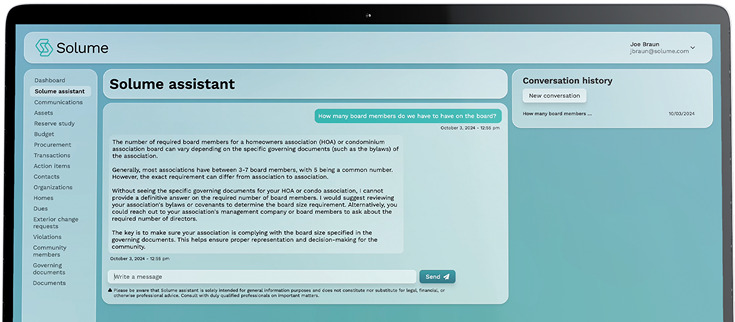
Solume includes an AI assistant that helps boards interpret governing documents, understand compliance requirements, and answer common questions. It's designed specifically for HOA use, so it understands the difference between bylaws, CC&Rs, and state statutes.
Reserve Study Integration and Long-Term Planning
Most boards treat the reserve study as a document they commission every few years and file away. That's a mistake.
The reserve study is a financial roadmap. It lists every major component in the community (roof, pavement, pool equipment, elevators), estimates when each will need repair or replacement, and calculates how much the board should set aside each year to pay for them.
If the board isn't funding reserves, as the study indicates, the money won't be there when the roof fails. The only options at that point are a special assessment or a loan.
The best HOA software integrates reserve study tracking into the platform. That means:
Component-level tracking. The system lists every item from the reserve study (roof, HVAC, pavement) and shows the current balance allocated to each.
Funding progress. The board can see whether the community is on track, underfunded, or overfunded for each component.
Expense tracking. When the board spends reserve funds on a repair, the system logs it against the correct component.
Long-term planning visibility. The platform shows what expenses are coming in the next five, ten, or twenty years. The board can adjust funding levels before a shortfall becomes a crisis.
Reserve study integration is the feature most boards overlook when evaluating software. It's also the feature that prevents special assessments and keeps communities financially stable.
Solume built its platform around reserve study tracking because most HOA software platforms treat reserves as an afterthought. For self-managed boards, long-term planning is just as important as tracking dues.
Reducing Volunteer Board Burnout Through Better Tools
Volunteer board burnout is real. Most board members didn't sign up to spend ten hours a week answering emails, reconciling bank statements, and tracking down late dues payments.
The boards that avoid burnout are the ones that use tools to reduce repetitive work. That's where HOA management software makes the biggest difference.
When homeowners can log into an online portal to check their balance, submit a maintenance request, or view meeting minutes, the board stops fielding the same questions every week. When dues collection reminders go out automatically, the treasurer doesn't have to chase down payments.
The time savings add up. A board that spends five hours a week on admin tasks can cut that to two hours with the right platform. That's 150 hours per board member per year.
The Best HOA Management Software doesn't just organize information. It removes the friction that makes board service exhausting.
Finding the Right Fit for Your Self-Managed Board
Not every platform works for every community. A 20-unit homeowners association has different needs than a 200-unit condo association.
Here's how to find the right fit.
Start with the problems you're trying to solve. If the board is drowning in emails, prioritize communication tools and a homeowner portal. If the reserve fund is underfunded, prioritize integrating the reserve study.
Test the platform before committing. Most vendors offer demos or free trials. Have the treasurer log in and try running a report. If the system feels clunky or confusing during the trial, it won't get easier after you've migrated your data. Watch for red flags when evaluating management companies or software vendors, such as unclear pricing or poor customer support.
Understand the pricing model. Some platforms charge per unit. Others charge a flat monthly fee. Make sure you know the total cost, not just the base price.
Check how the vendor handles support. When something goes wrong, how fast can you get help? Platforms should also follow the Federal Trade Commission's guidance on data security to protect homeowners' information.
The right platform should feel like it was designed for your community, not for a property management company managing 50 communities at once. If your board wants a clearer way to manage finances, long-term planning, and day-to-day operations, explore your options with Solume to see if the platform is a good fit for your community.
Frequently Asked Questions
What's the difference between using software and hiring a property management company?
Software gives the board control and costs 80% less, while a property management company handles operations but charges $15 to $50 per unit per month and controls access to financial data.
Which software works best for small HOAs with volunteer boards?
The best community management software for small communities is user-friendly, includes reserve study tracking, and doesn't require accounting training. Solume was designed specifically for volunteer boards managing their own communities.
Is HOA software actually worth it for a small community, or is it overkill?
If your board spends more than a few hours a month on admin work, tracking dues, or answering homeowner questions, the software pays for itself.
What features should board members prioritize when comparing platforms?
Reserve study integration, HOA accounting, dues collection automation, and a homeowner portal are the must-haves.
How do I know if my board is ready to self-manage with software instead of hiring help?
If your board can commit a few hours a week to oversight and decision-making, an all-in-one platform handles the rest.
What happens if the software doesn't work out after we've migrated our data?
Most platforms let you export your data if you decide to switch, but confirm the vendor provides data export and ask how the process works before committing.